How Much RAM Do You Need in a Laptop?
8GB, 16GB or 32GB? Find out how much RAM you need in a laptop for school, office work, programming, editing and gaming, and when extra RAM is a waste.
Disclosure: some links in this article are affiliate links, so we may earn a commission on qualifying purchases at no extra cost to you. Learn more.
What RAM actually does
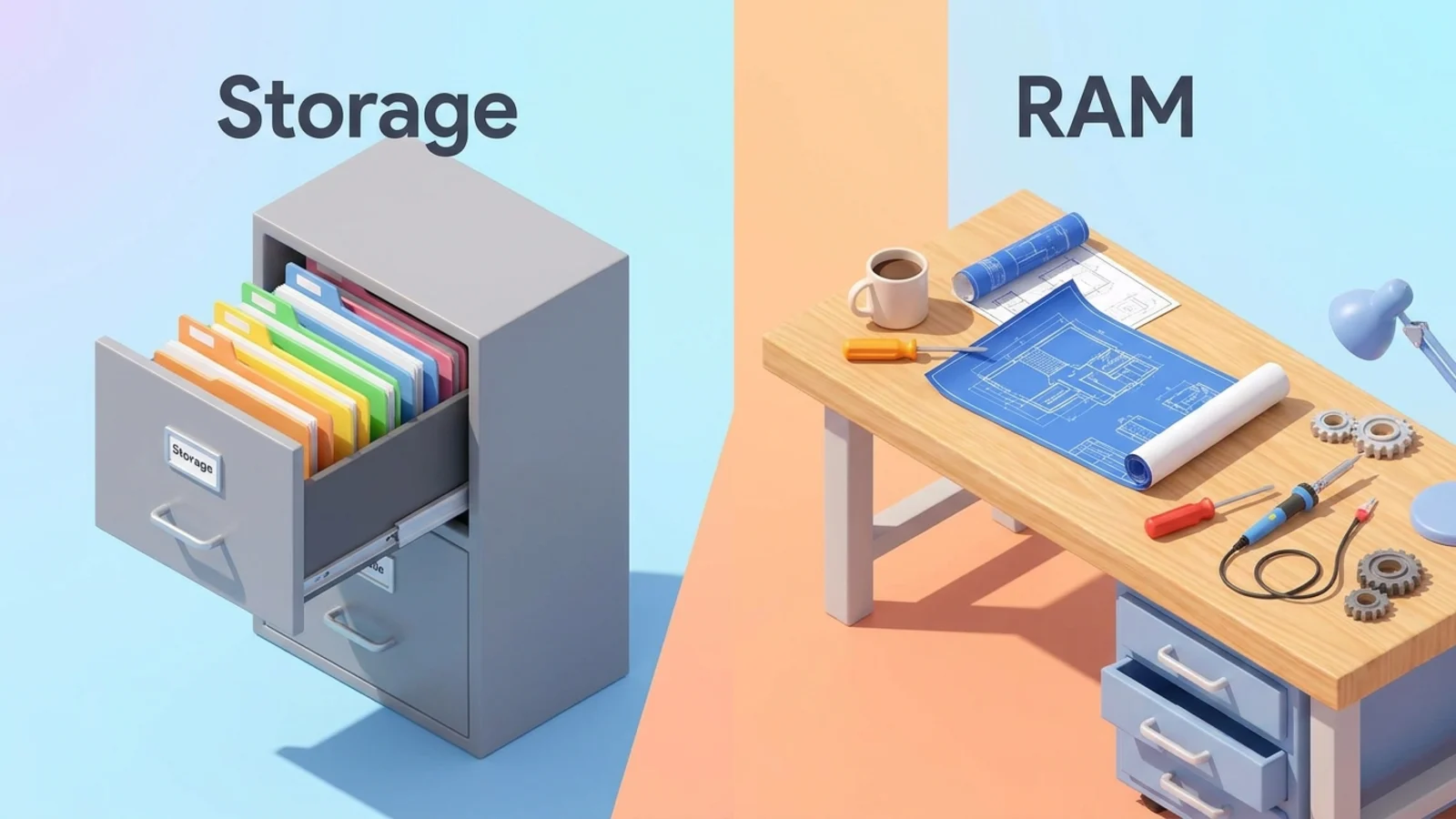
RAM (random access memory) is your laptop's short-term workspace. When you open an app, a browser tab or a file, the laptop loads it into RAM so it can work on it quickly.
When RAM fills up, the operating system moves data to the much slower storage drive to make room. That is when you notice lag: tabs reload, apps take a moment to come back, and the fans may spin up. More RAM means you can keep more open before that happens.
RAM is not storage. Storage (the SSD) keeps your files when the laptop is off. RAM only holds what you are working on right now and is cleared when you shut down.
How much RAM you need, by task

Use your heaviest regular task to choose, not your lightest.
Your main use | Suggested RAM | Why |
|---|---|---|
Browsing, email, streaming, documents | 8GB minimum, 16GB preferred | Modern browsers use a lot of memory as tabs pile up |
School and college work | 16GB | Research tabs, documents and video calls often run at once |
Office work and business | 16GB | Spreadsheets, meetings and many tabs side by side |
Programming | 16GB minimum, 32GB for containers or virtual machines | Editors, local servers and build tools all use memory |
Photo editing and design | 16GB minimum, 32GB for large files | Big images and many layers fill RAM quickly |
Video editing | 32GB or more | High-resolution timelines and effects are memory hungry |
Data science and machine learning | 32GB or more | Datasets are often loaded into memory to work on them |
Gaming | 16GB minimum, 32GB for heavy multitasking | Modern games plus chat and a browser in the background |
These are general guidelines, not hard rules. If you regularly hit slowdowns on your current laptop, take that as a sign to step up a tier.
8GB: when it is still enough
8GB is fine for a narrow set of uses: browsing with a moderate number of tabs, email, streaming, documents and online classes. It works best on lighter operating systems such as ChromeOS, and on laptops whose chips and software are tuned for efficiency.
Some well-reviewed laptops still ship with 8GB. In our current picks, the Apple MacBook Neo lists "8GB" and suits students who mainly take notes, write essays and browse. If you choose an 8GB laptop, do it knowingly and keep your workload light.
16GB: the sweet spot for most people
16GB gives you room for many browser tabs, office apps, video calls and music running at once without slowdowns. It also leaves headroom for software updates, which tend to use more memory over time.
If you plan to keep the laptop for several years, 16GB is the safest choice. It is also the amount we suggest for most students, office workers and anyone who multitasks. Our laptops for students guide explains how this fits with battery life and weight for school use.
32GB and more: for heavy creative and technical work
Step up to 32GB if you edit video, work with large photo files, run virtual machines or containers, or load big datasets.
Video editors benefit from more memory for long, high-resolution timelines and effects. Our video editing laptop picks focus on this kind of work.
Programmers who run containers, local databases or virtual machines alongside a code editor and browser often run out of 16GB. See our laptops for programmers for setups that leave room.
Data scientists often load datasets into memory, so the amount of RAM can limit the size of the data you can work with. Our data science laptop guide covers this in more detail.
At the far end, some creative laptops offer very large amounts of memory. The Asus ProArt GoPro Edition (PX13) in our picks lists "128GB DDR5X", which is far beyond what most people need but useful for very large projects.
Can you add more RAM later?
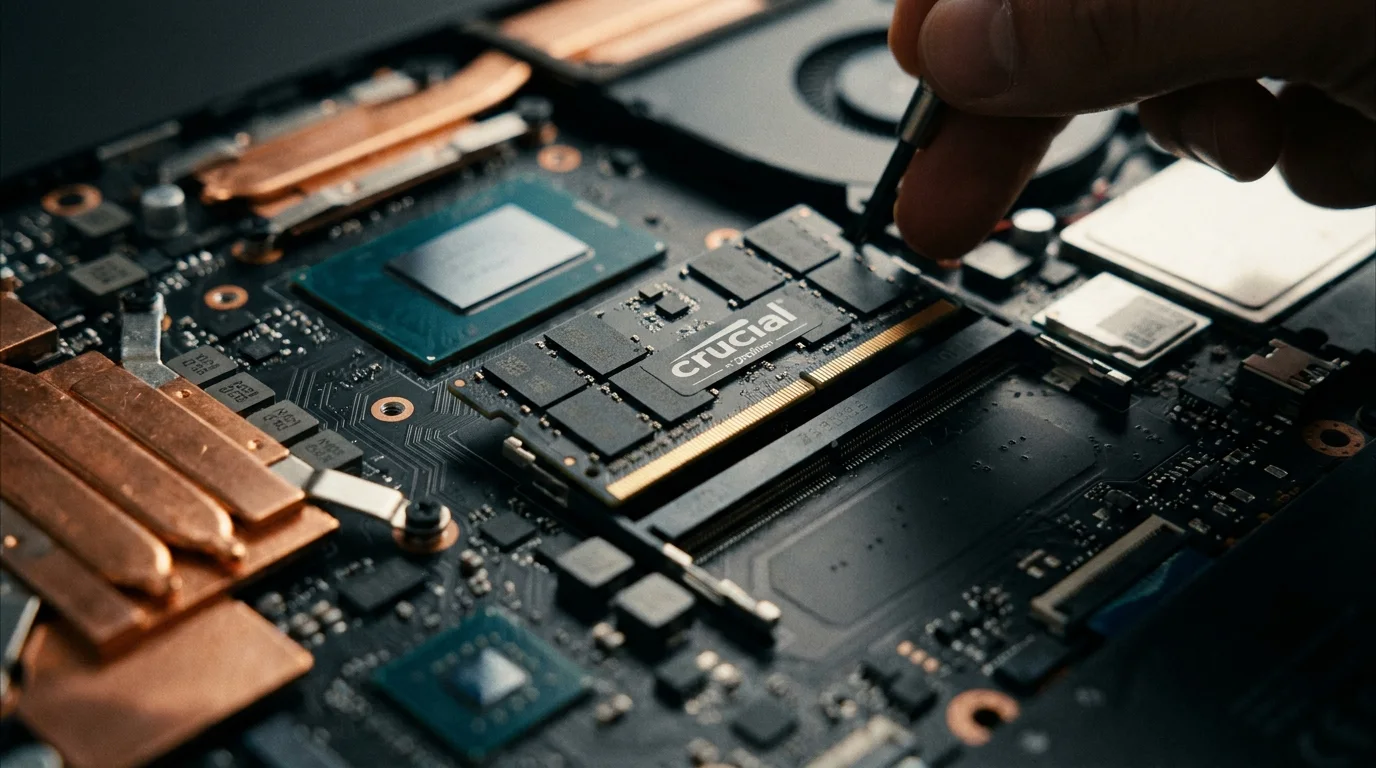
Sometimes, but often not. Many thin laptops have memory soldered to the board, which means the amount you buy is the amount you keep for the life of the laptop. MacBooks with Apple chips are in this group. Some larger Windows laptops, especially gaming and business models, still have slots you can upgrade.
Check the spec sheet or a teardown review for words like "soldered", "onboard" or "slots". Also watch for configurations: the Dell XPS 13 (2026) in our picks lists "8GB tested, configurable up to 32GB", which shows how the same model can ship with very different amounts of memory. Make sure the exact configuration you buy has the RAM you want.
If you cannot upgrade later, buy for where your work will be in a few years, not just where it is today.
RAM speed and type: does it matter?
You will see labels like DDR5, LPDDR5X or unified memory. Newer types are faster and more efficient, which helps performance and battery life, especially for integrated graphics that share system memory.
For most buyers, though, the amount of RAM matters more than the type. Choose enough memory first, then treat the type as a tiebreaker between similar laptops.
Common RAM mistakes
Buying the minimum on a laptop you cannot upgrade. Saving a little at checkout can mean living with slowdowns for years.
Paying for 64GB "just in case". Unless your work fills memory today, the money is usually better spent on a better screen, more storage or a longer warranty.
Comparing RAM across very different laptops. A light operating system on an efficient chip can feel smooth with less memory than a heavier setup, so compare like with like.
Ignoring the rest of the laptop. Plenty of RAM will not fix a slow processor, a nearly full drive or a dim screen.
How to check what you need right now
Your current computer can tell you a lot.
Windows: open Task Manager, go to Performance and look at Memory while you work normally.
macOS: open Activity Monitor and check the Memory tab and the memory pressure graph.
ChromeOS: open the Task Manager from the browser menu to see what uses memory.
If memory use is regularly near the top during a normal day, your next laptop should have more. If it rarely goes past half, the same amount will likely be enough.
When you know your number, the laptop finder that filters by RAM and other specs shows only the laptops in our guides that meet it.
Frequently asked questions
Is 8GB of RAM still enough for a laptop?
For light use such as browsing, email, documents and streaming, yes, particularly on ChromeOS or efficient laptops. For heavy multitasking, creative work or gaming, 16GB or more is a better choice.
Is 16GB of RAM overkill for a student?
No. 16GB is the comfortable amount for most students and gives headroom for the several years a school laptop usually needs to last.
Is 32GB of RAM worth it?
It is worth it for video editing, large photo files, programming with containers or virtual machines, and data work. For everyday use, the extra memory will mostly sit idle.
Does more RAM make a laptop faster?
More RAM stops slowdowns when you run many things at once, but it does not make a single app faster if you already have enough. Past the point you need, extra RAM adds cost without a noticeable benefit.
See our picks: the best laptops under $1,000
Recommended guides
- Best laptops for programmingDevelopers and computer science students who compile code and run tools all day.
- Laptops for editing 4K videoEditors who cut 1080p and 4K footage and want fast exports and accurate color.
- Laptops under 1000 dollarsBuyers who want a well built, fast laptop without paying flagship prices.
Or browse all our laptop buying guides.